
This set of actions allows you to perform bulk operations with entries in an estimate.
It helps you quickly copy, delete, move, or modify multiple entries at once instead of editing them individually.
Where to find
Open the estimate and click the three dots menu next to the sheet name.
In the dropdown menu, you will find actions for selected entries.
Before using them, select one or more entries in the table.
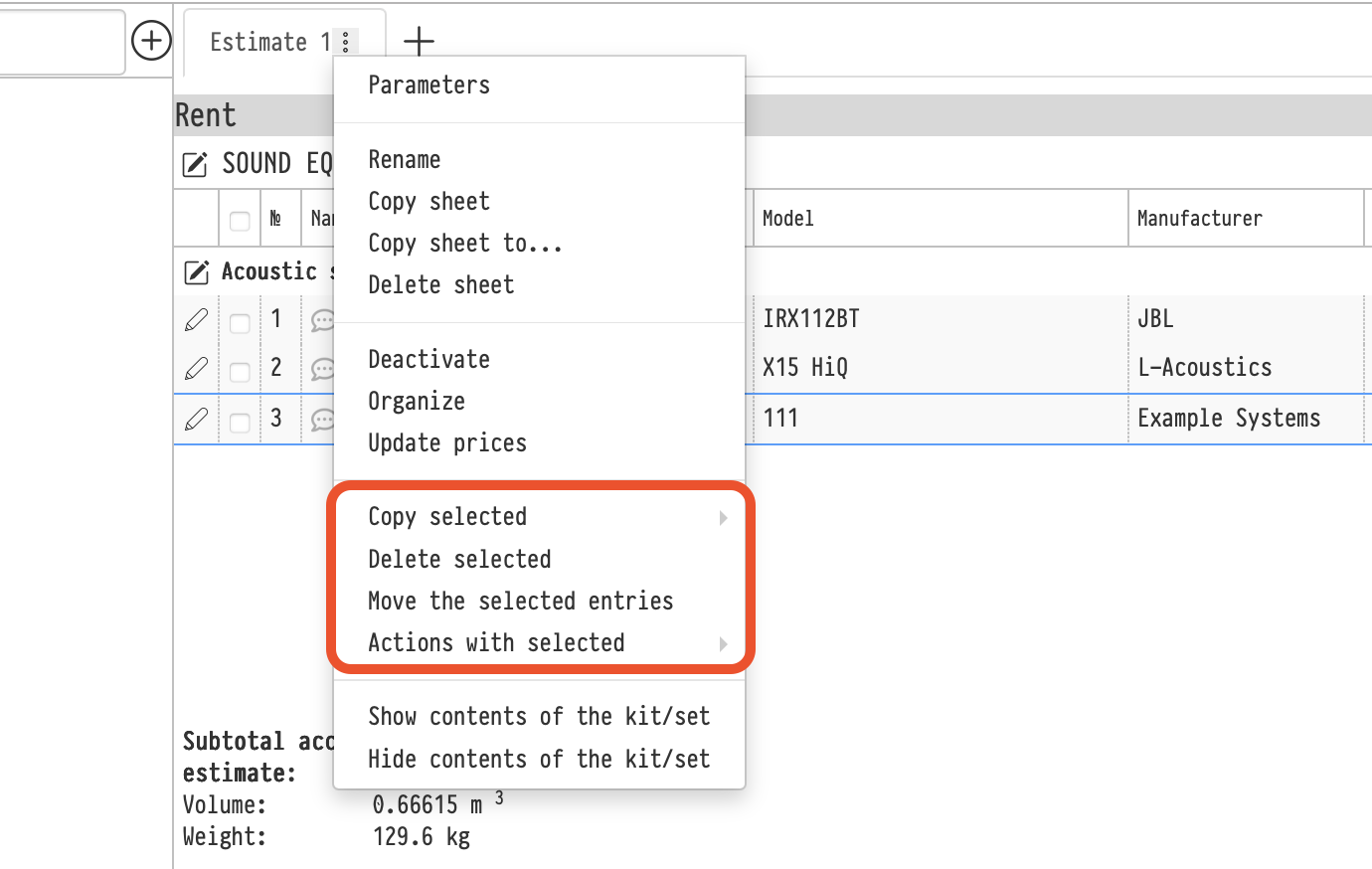
Copy selected
Allows you to create copies of the selected entries.
Available options:
- To this sheet
- To another sheet
- To another project
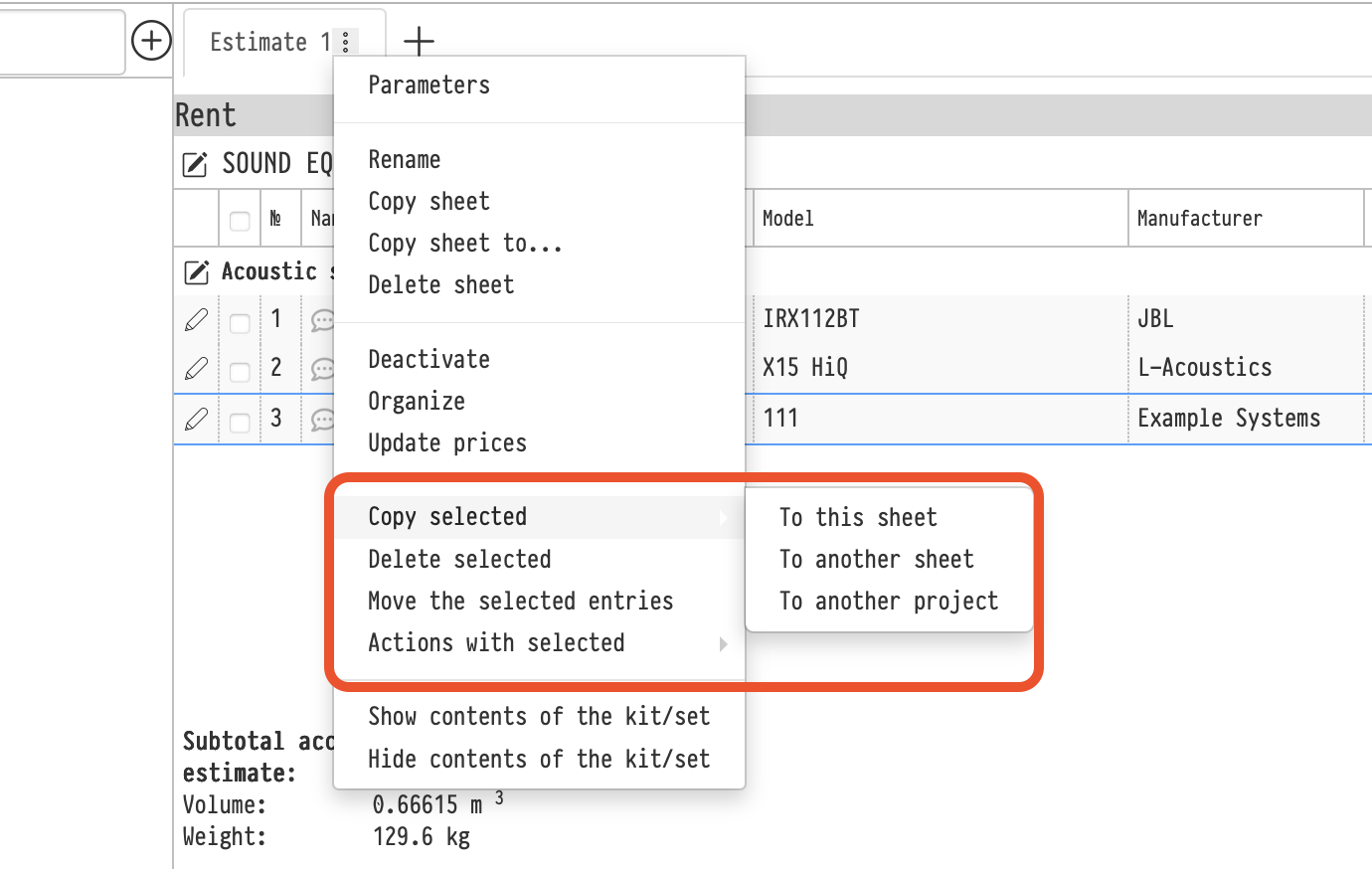
Copy to this sheet
When copying to the current sheet, the system will ask you to select:
- section
- subsection
where the copied entries should be placed.
This allows you to:
- create duplicates of entries
- place the same entry in different parts of the estimate
Copy to another sheet / project
Used to reuse part of an estimate:
- in another sheet within the same project
- in another project
Copies are created, and the original entries remain unchanged.
Delete selected
Removes all selected entries from the sheet.
Useful for quickly cleaning up an estimate or removing unnecessary entries.
Move the selected entries
Moves selected entries without creating copies.
You can:
- Move entries only to another sheet within the same project
After moving, the entries are removed from the original sheet.
Moving to another project is not available. Use copying instead.
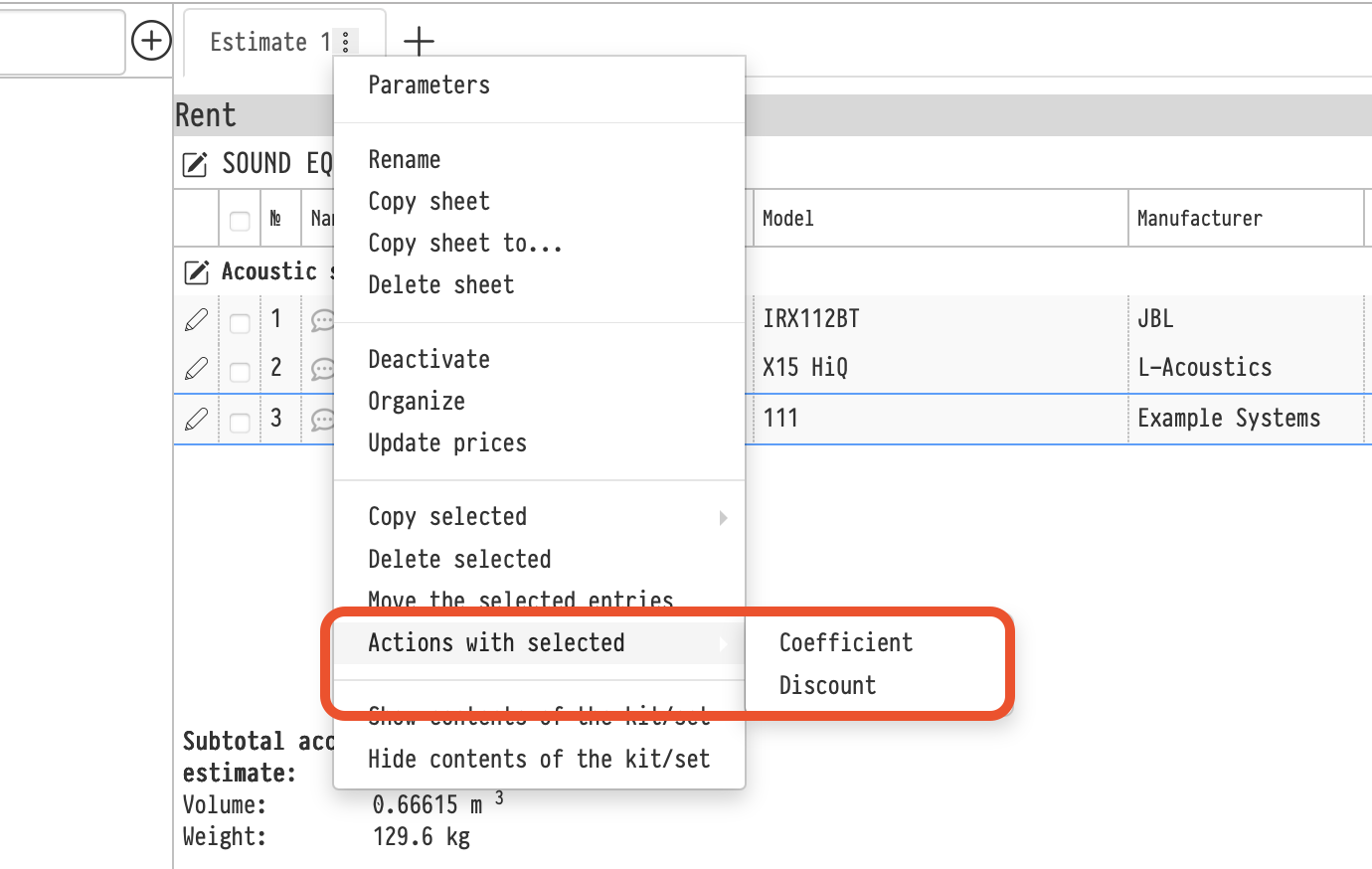
Actions with selected → Coefficient
Applies a coefficient to all selected entries.
This allows you to:
- Increase or decrease prices proportionally (e.g., ×1.1)
- Quickly adjust a group of entries (markup or correction factor)
Actions with selected → Discount
Applies a discount to all selected entries.
When applying, the system will ask you to choose the format:
- Percentage
- Absolute value
Useful when you need to:
- Apply a discount to a group of entries
- Adjust pricing without editing each entry manually
Notes
- Actions apply only to selected entries
- Changes are applied to all selected entries immediately
- Bulk operations significantly speed up working with estimates