
The system allows you to generate a price list based on the catalog with flexible display settings.
A price list helps you export a list of equipment and services in a convenient format for sharing with a client or for internal use.
Where to find
Go to the catalog and in the top menu select “Price”.
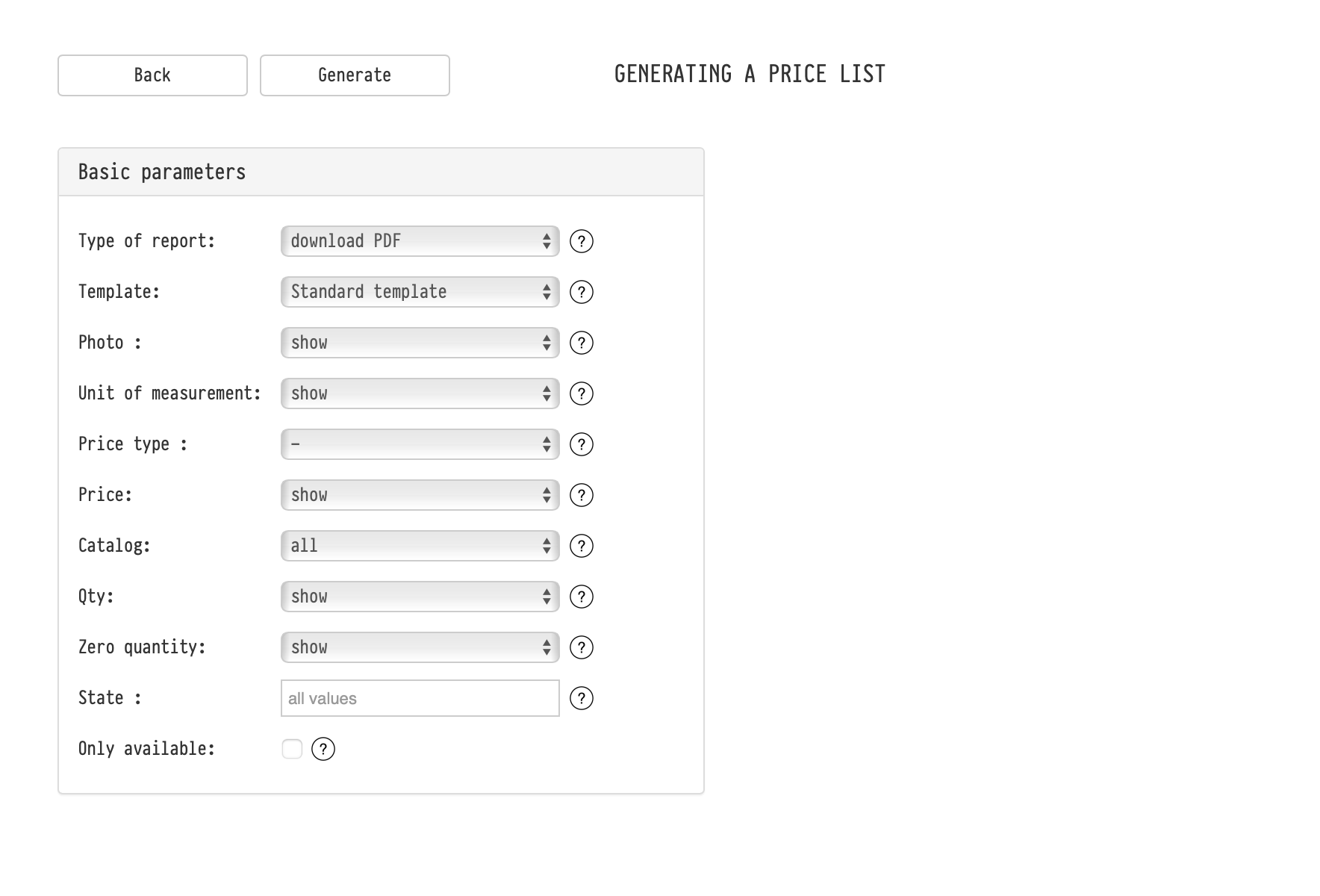
Basic parameters
Type of report
Allows you to choose the output format:
- display on screen
- download PDF
- download XLS
Template
The template is used when generating a PDF.
It defines the appearance of the document:
- table structure
- layout
- displayed fields
Settings are taken from the corresponding estimate template.
Photo
Defines whether entry images are displayed in the price list.
Unit of measurement
Allows you to show or hide units (e.g., pcs, set, etc.).
Price type
Allows you to select which price type to use in the price list.
For example, if multiple price types are configured (retail, dealer, etc.), you can choose the required one.
Price
Defines whether the price is displayed in the document.
Catalog
Allows you to select:
- the entire catalog
- or specific sections/subsections
Qty
Defines whether the quantity column is displayed.
Zero quantity
Defines whether entries with zero quantity should be displayed.
State
Allows you to filter entries by state.
For example:
- only available
- only under repair
- or all values
Only available
If enabled, only entries available for the selected date will be included in the price list.
Date / Time
Allows you to set a time period for availability calculation.
The system takes into account equipment usage in projects and generates a price list with актуальная availability.
How it is used
A price list can be used for:
- sending a list of available equipment to a client
- preparing a commercial offer outside of a project
- internal use (checking assortment and availability)
Notes
- Parameters allow flexible configuration of the price list content and layout
- When generating a PDF, the selected template is used
- Availability is calculated based on equipment usage in projects
- The final document is generated according to the selected settings