
Components support a flexible state management mechanism that allows you to track their condition at the quantity level.
Basic logic
Components are stored as a total quantity (for example, 10 cables).
By default, the entire quantity has a single state (for example, “working”).
Changing the state
To change the state of part of the quantity:
- Open the entry card
- Click “edit” next to the State field
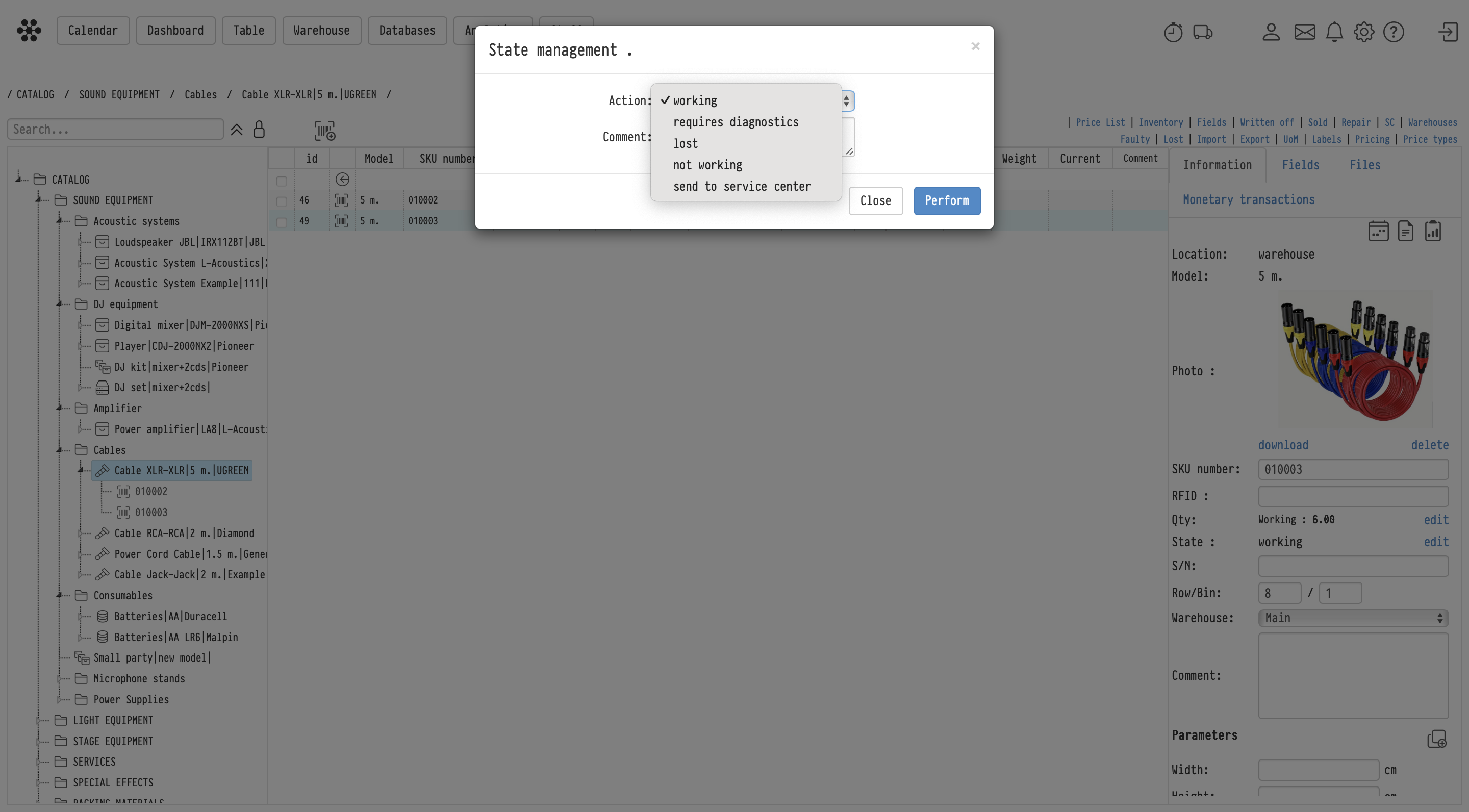
- In the “State management” window, select the required action (e.g., not working, lost, requires diagnostics, send to service center)
- Specify the Qty to which the new state should be applied
- Click “Perform”
Splitting into extracted units
After applying a state to part of the quantity, the system separates these units into individual sub-entries.
This means:
- separate units are created with their own identifiers
- each unit receives the selected state
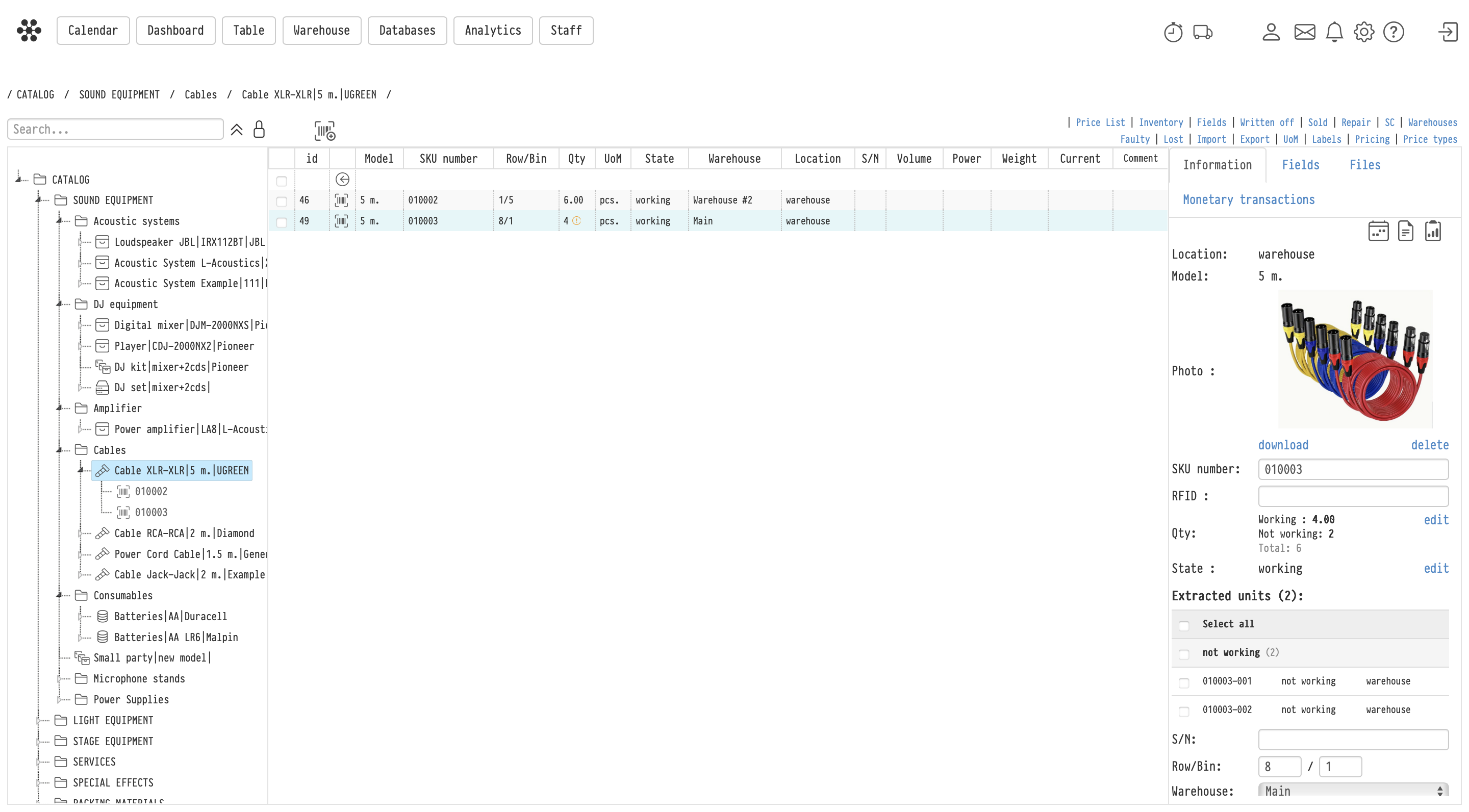
- they are displayed in the “Extracted units” block
For example:
- initial quantity: 6 (all working)
- 2 units marked as not working
→ the system creates 2 extracted units with this state
Visual indicator
When extracted units appear, an exclamation mark icon (!) is shown for the entry.
This indicates that:
- the total quantity is split by states
- some units have individual states
Working with extracted units
Extracted units:
- have their own identifiers
- can have different states
- are tracked separately from the main quantity
Returning to the main quantity
If the state of extracted units is changed back to “working”:
- they are automatically merged back into the main quantity
- the total quantity is restored
- the exclamation mark icon disappears
Repair and diagnostics
The following states are available for components:
- not working
- requires diagnostics
- send to service center
This allows you to:
- isolate faulty units
- send them for repair
- maintain accurate condition tracking
After repair, the units can be returned to the working state and merged back into the available quantity.
Example
You have 6 cables.
After inspection:
- 4 are working
- 2 are not working
The system:
- creates 2 extracted units
- keeps 4 units in the main quantity
After repair, the 2 units are set back to working:
- they are automatically merged back
- the total quantity becomes 6 again