
The Purchases report allows you to analyze all purchase operations for equipment, components, and consumables in the system.
The report is based on data that is automatically created when SKUs are added and their quantity is increased.
How data is generated
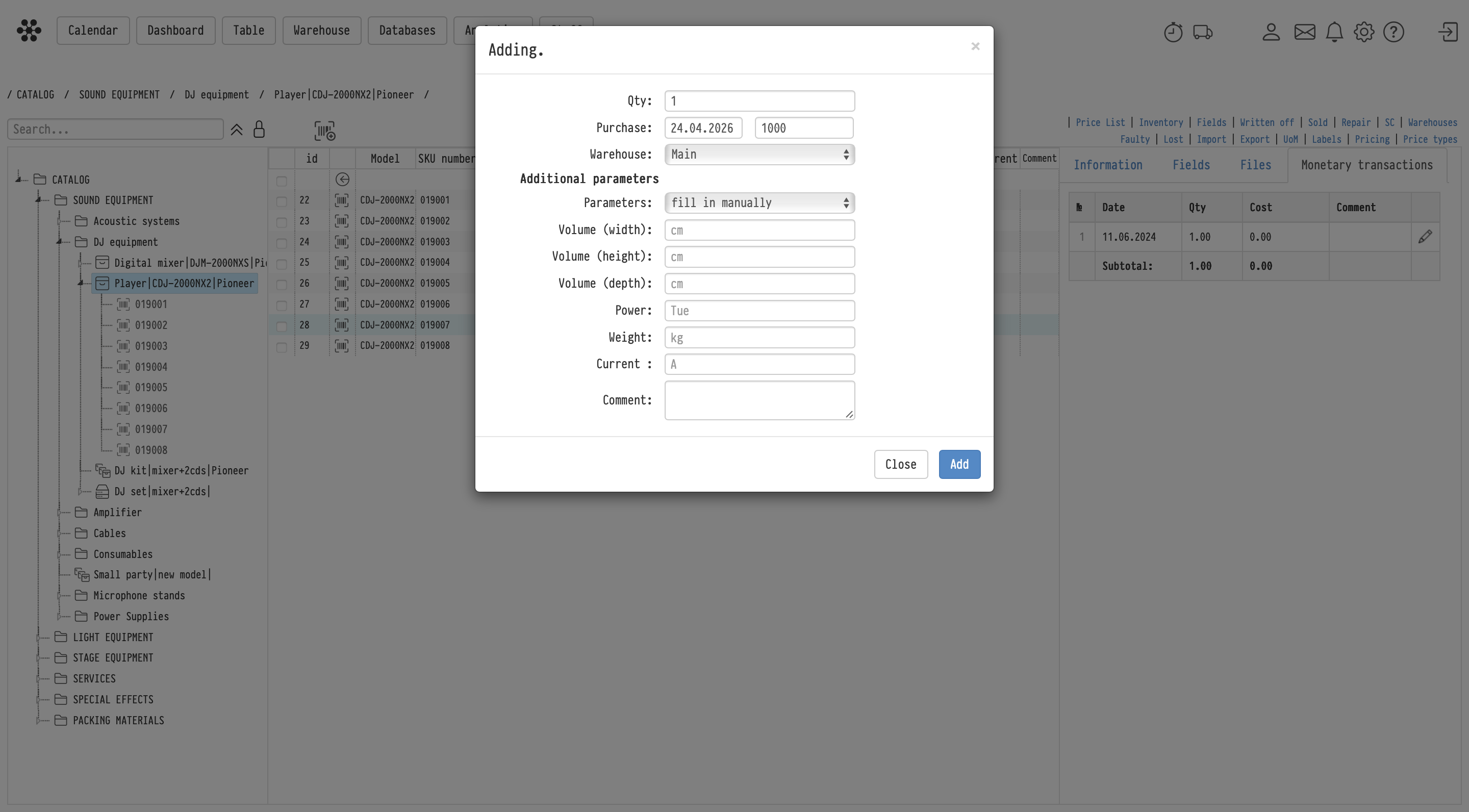
When adding a new SKU, you specify:
- Purchase date
- Cost
After that, a purchase record is created in the “Monetary transactions” tab of the SKU card.
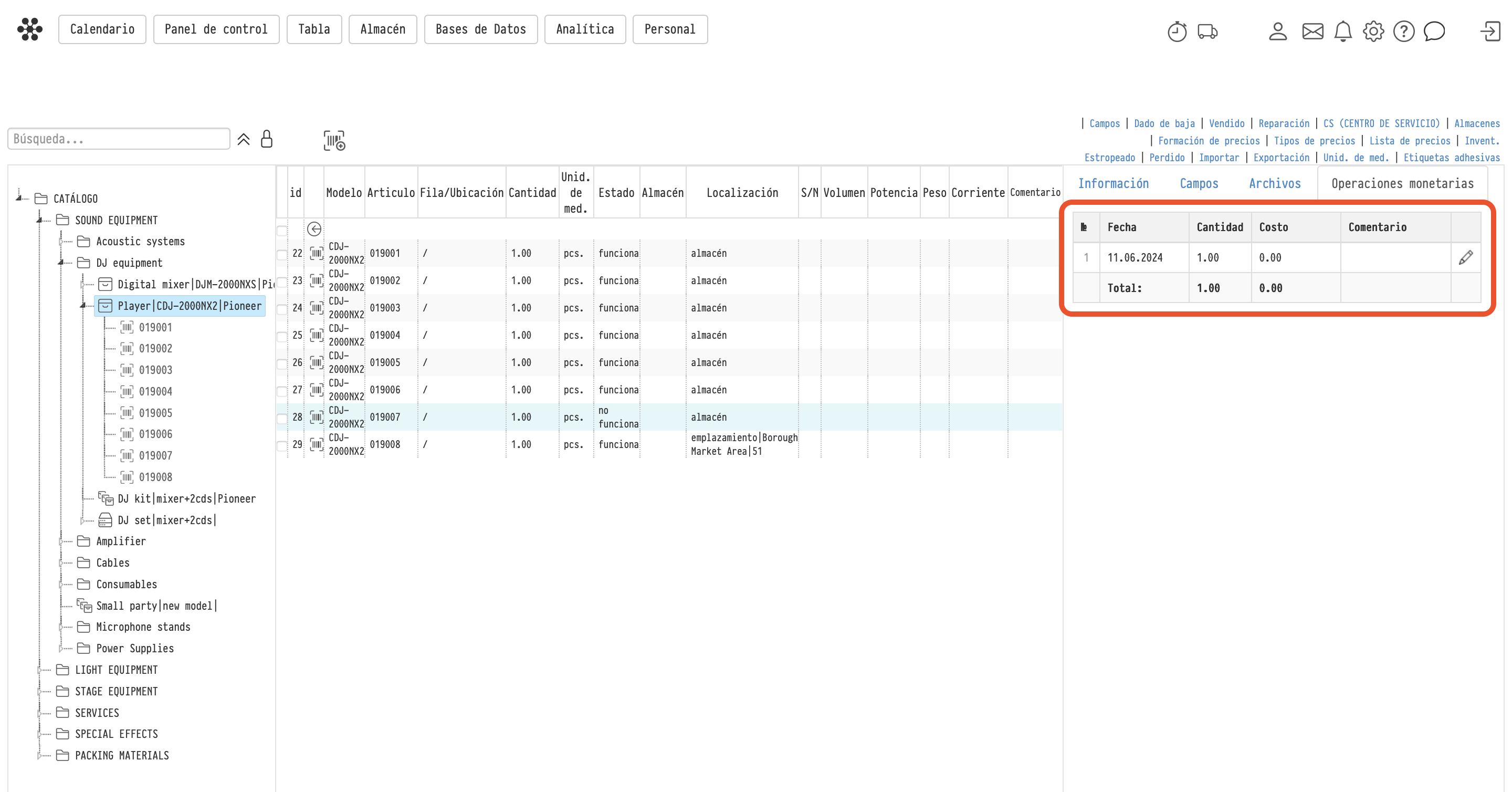
Equipment
For equipment:
- each unit is a separate SKU
- adding multiple units creates multiple SKUs
- each SKU has its own purchase record
- Cost is specified per unit
Components and consumables
For components and consumables:
- one SKU can contain multiple units
- increasing quantity (via “Qty” / Add action) creates a new purchase record
- each record corresponds to a batch
- Cost is specified for the batch
- the record includes the purchased Qty
If no cost is specified, the record is still created with a zero value.
Editing purchase records
Purchase records can be edited:
- for equipment — you can update Cost (per unit) and Comment
- for components and consumables — you can edit all fields of the record and delete it
This behavior is intentional:
- equipment errors are typically corrected by deleting the SKU
- components and consumables are managed within a single SKU, so individual purchase records must be editable
Where to find the report
Go to Analytics → Purchases report in the top menu.
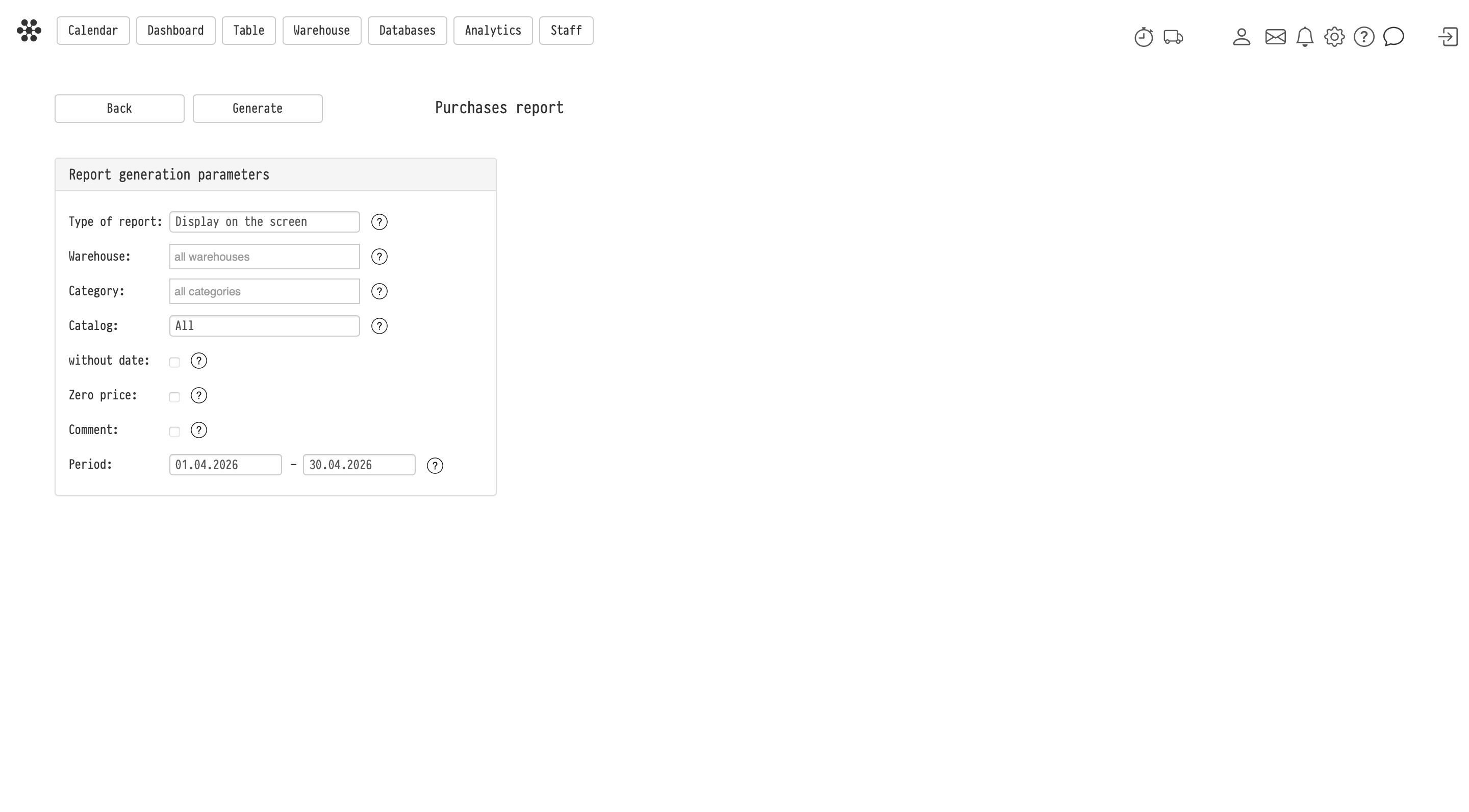
Report generation parameters
Before generating the report, you can configure:
- Type of report — Display on the screen or export to Excel
- Warehouse — filter by the Warehouse field in the SKU card
- Category — Equipment, Components, or Consumables
- Catalog — entire catalog or a specific section/subsection/entry
- Period — purchase date range
- without date — include records without a purchase date
- Zero price — include records with zero cost
- Comment — show comments
Report structure
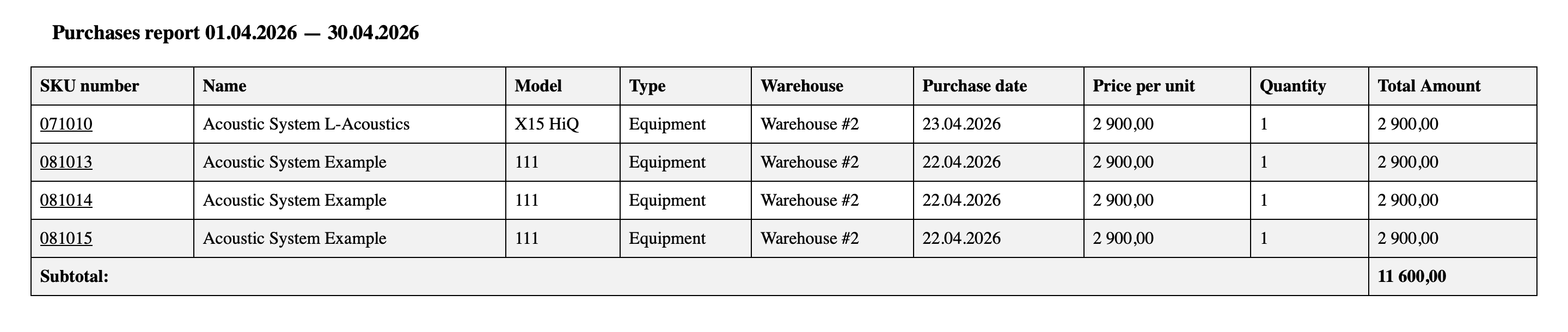
The report is generated in a separate browser tab as a table.
It includes:
- SKU number
- Name
- Model
- Type
- Warehouse
- Purchase date
- Price per unit
- Quantity
- Total Amount
How purchases are displayed
Each row represents a purchase operation.
- for equipment — one row = one purchase
- for components and consumables — one SKU can contain multiple purchase records grouped together
Totals
A Subtotal is displayed at the bottom of the report.
Usage
The report is used for:
- analyzing purchasing costs
- tracking procurement history
- monitoring warehouse investments
- preparing data for accounting and reporting