
Actions with a specification sheet are available in the sheet context menu (three-dot icon next to the sheet name).
They allow you to manage the structure of the specification and perform operations with sheets.
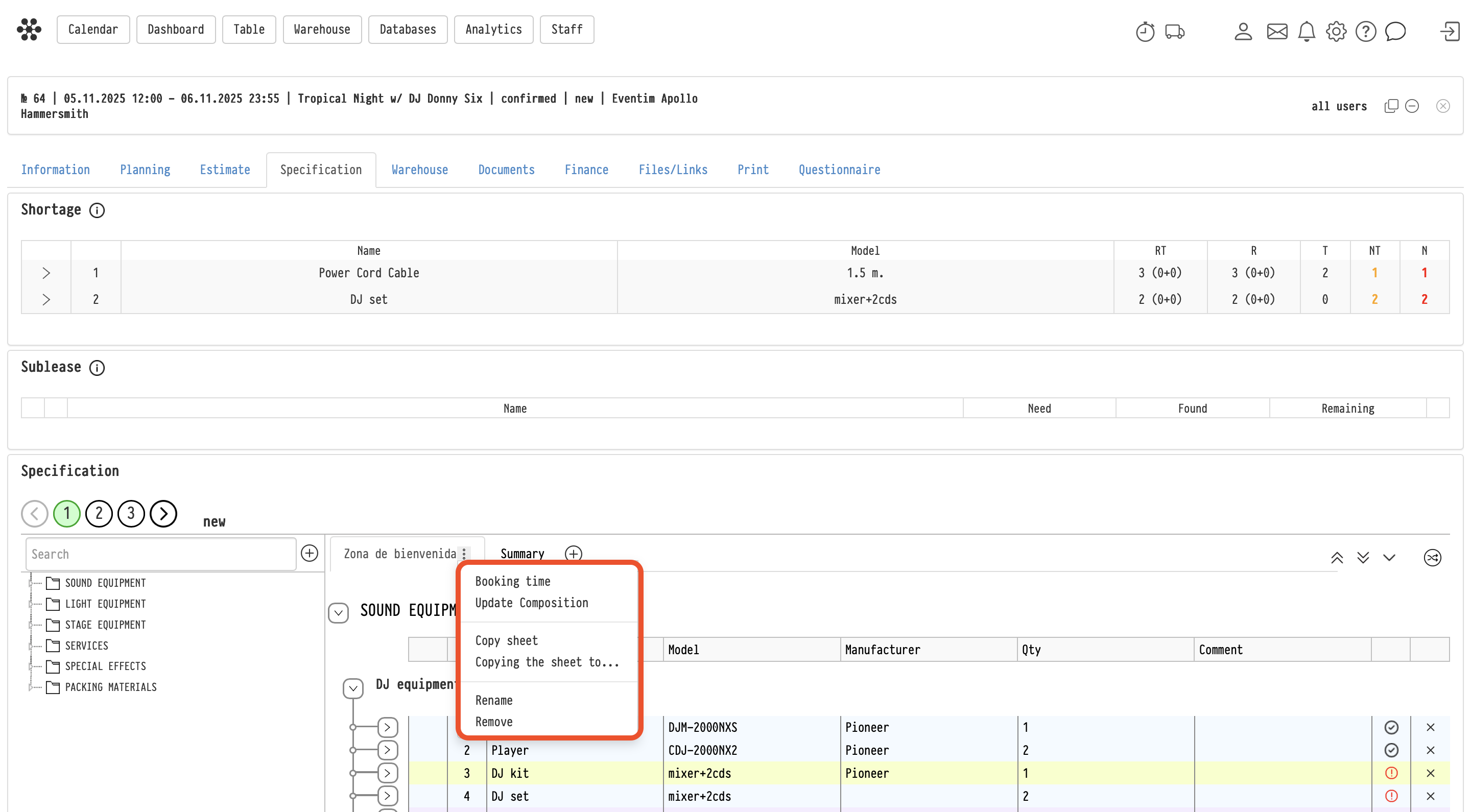
Booking time
The “Booking time” action allows you to set or change the reservation period for all equipment in the sheet.
Important:
- the booking time can extend beyond the project dates
- the new time is applied to all equipment in the sheet
If needed, you can go deeper:
- expand the list down to the SKU level
- set booking time for specific units only
Changing the booking time affects only equipment availability and does not affect the estimate.
Update Composition
The “Update Composition” action synchronizes the specification with the estimate.
If changes were made in the estimate but were not reflected in the specification (desynchronization), this action:
- aligns the specification with the estimate
- effectively rebuilds the specification based on the current estimate
After applying this action, the sheet structure and content will match the estimate.
Copy sheet
The “Copy sheet” action creates a duplicate of the current sheet within the same project.
The copy includes:
- structure (sections and subsections)
- all entries
- comments
This is useful for creating variations or reusing the same setup.
Copying the sheet to…
The “Copying the sheet to…” action allows you to copy the sheet to another project within the same account.
When copying:
- structure is preserved
- entries are preserved
- comments are preserved
A new sheet will be created in the selected project.
Rename
Allows you to change the sheet name.
Remove
Deletes the sheet from the project.
Important:
- this action is irreversible
- it affects warehouse-related documents (e.g., picking/warehouse lists)
- it does not affect the estimate, as documents like quotations are based on the estimate
Key concepts:
specification, specification sheet, booking, booking time, equipment availability, estimate synchronization, copy sheet, remove sheet