
Price types are located in the top menu of the Catalog:
Catalog → Price types
A price type is an alternative set of prices for catalog entries.
It allows you to use different rental prices for different clients, projects, or working conditions.
For example:
- prices for loyal customers
- prices for sublease projects
- special prices for specific venues
- social or charity rates
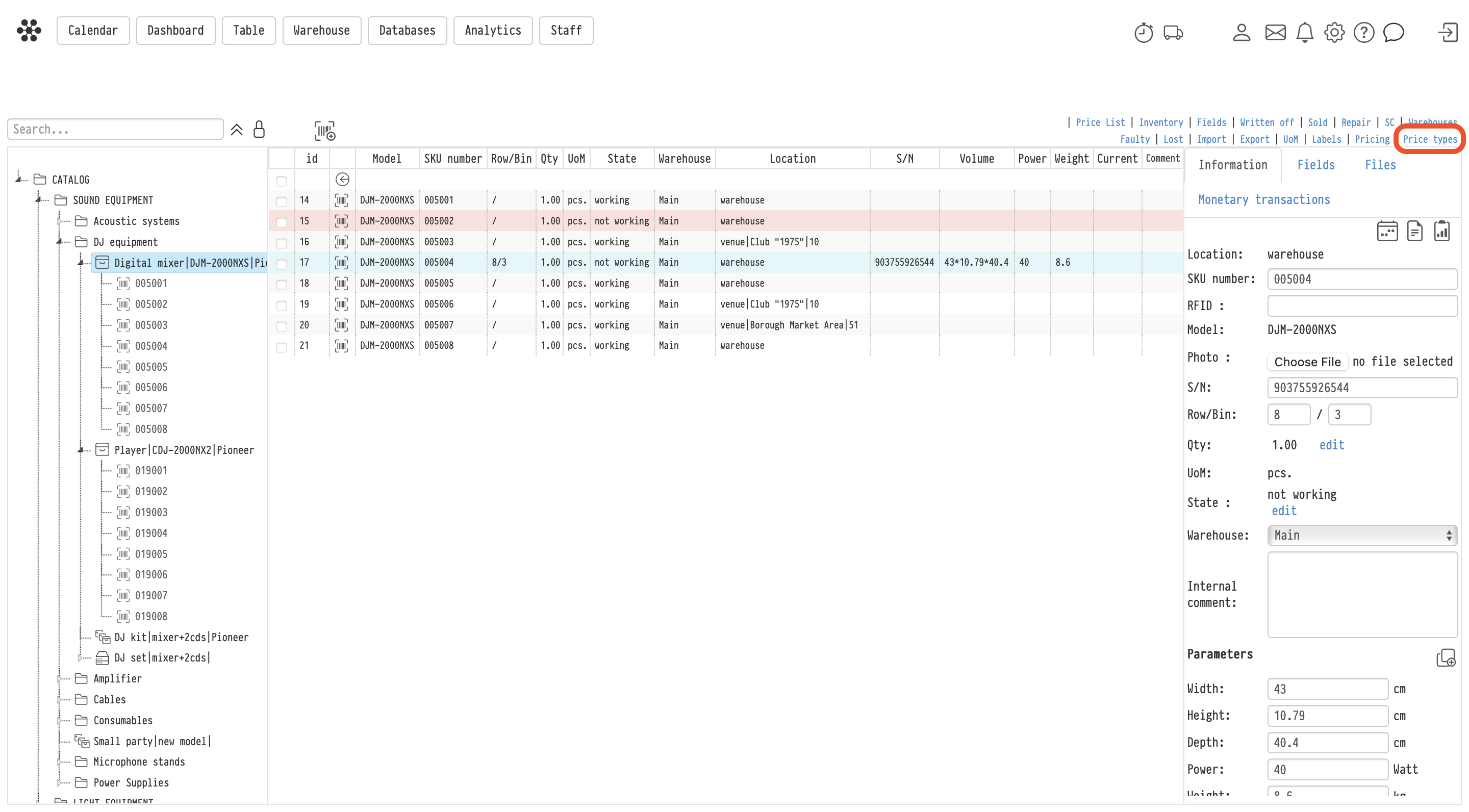
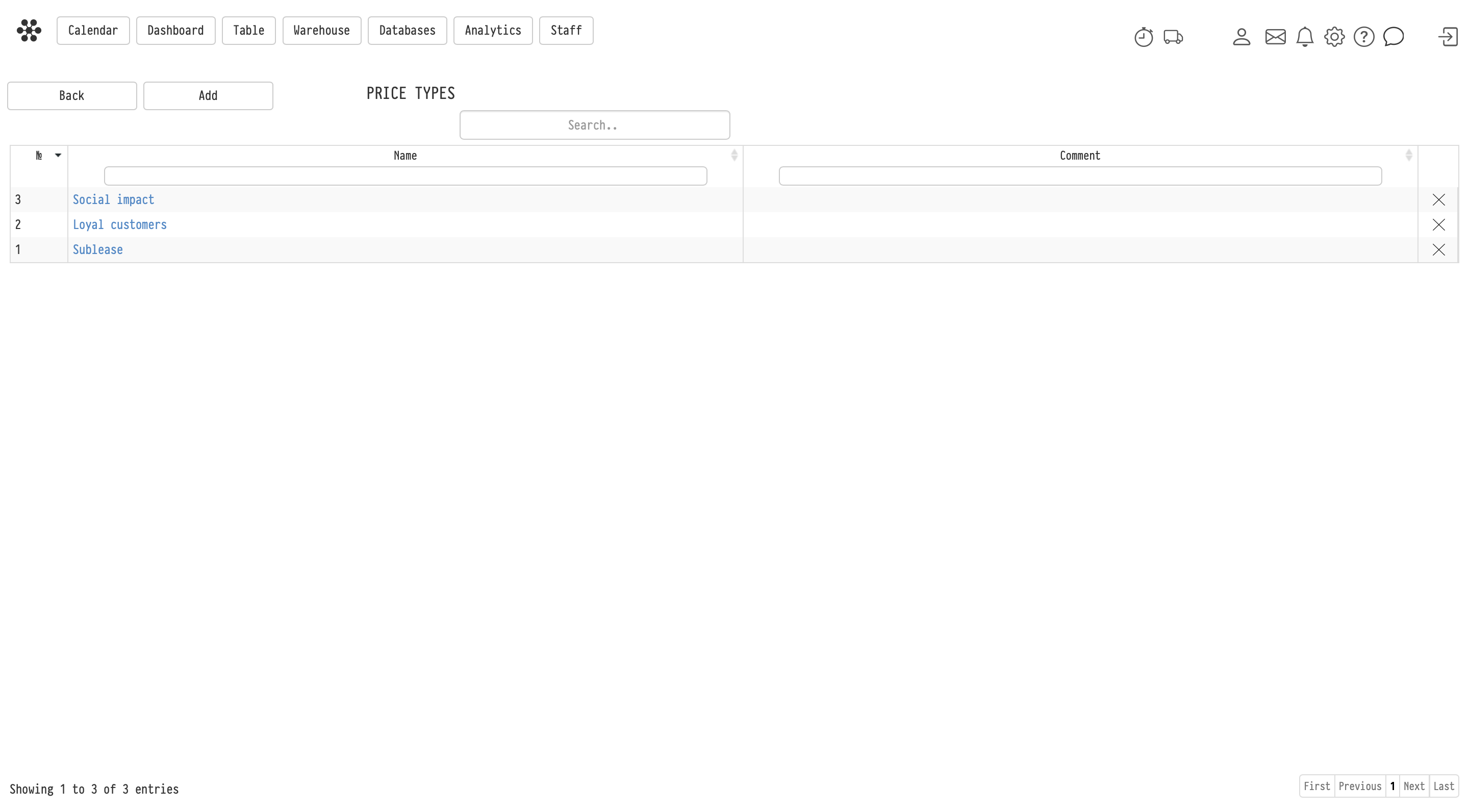
Creating a price type
On the Price types page, you can:
- create a new price type
- specify its name
- add a comment
The number of available price types depends on your subscription plan.
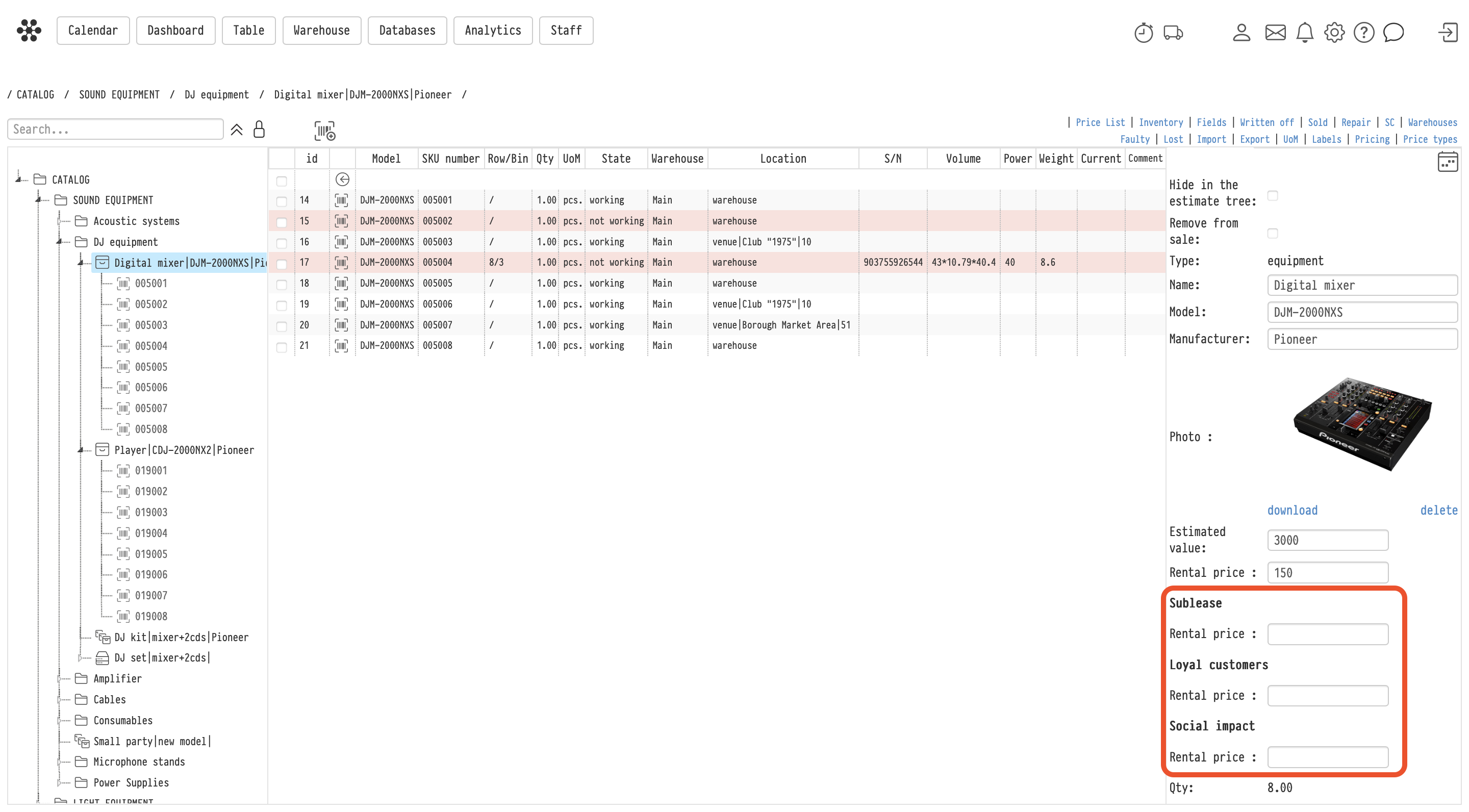
How price types work
After creating a price type:
- an additional rental price field appears in the catalog entry card
- a separate rental price can be specified for each price type
Price types work for:
- equipment
- kits
- components
- consumables
- services
In other words, for all entries that can be added to an estimate.
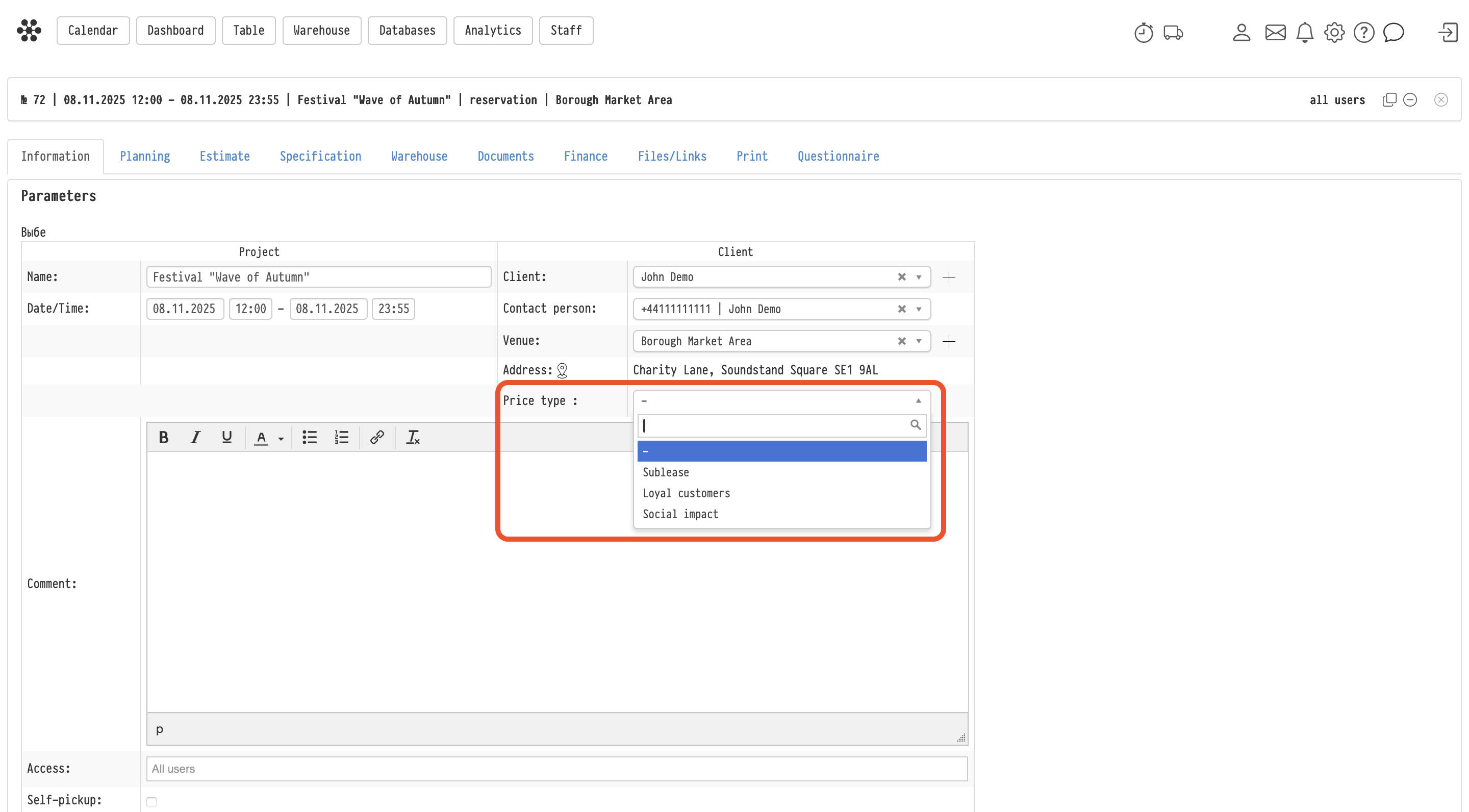
Using a price type in a project
The price type is selected on the:
Project → Information tab.
After selecting a price type:
- all prices in the project estimate are taken from the selected price type
- prices displayed in the catalog tree inside the Estimate tab are also updated according to the selected price type
Important:
- one project can use only one price type
- the price type is applied to the entire project, not to individual estimate sheets
If a price is not filled in
If an entry does not have a price specified for the selected price type:
- its rental price in the estimate will be displayed as
0
Automatic price type selection
A default price type can be assigned to a client in the Clients database.
In this case:
- after selecting a client in the project
- the corresponding price type will be automatically selected on the Information tab
The user can still change it manually if needed.
Changing the price type in an existing project
If the price type is changed after the estimate has already been filled in:
- prices in the estimate will not update automatically
To recalculate prices:
- use the Update prices action in the estimate sheet
After that, prices will be updated according to the newly selected price type.
Deleting a price type
A price type can be deleted even if it was previously used in projects.
In this case:
- prices in existing projects will remain unchanged
Difference between a price type, coefficient, and discount
Price type
A price type defines the base rental price of an entry.
It is a predefined set of prices used for different clients, projects, or working conditions.
Per-entry coefficient and per-entry discount
Per-entry coefficients and discounts are applied to a specific estimate entry.
They modify the price of an individual line and act as modifiers of the base entry price.
Global coefficient and global discount
Global coefficients and discounts are applied to the totals of estimate sections.
They can be used for:
- equipment
- services
- consumables
- other estimate sections
They do not change the base price of a specific entry, but instead adjust the total amount of the selected section.
Combined usage
All these tools can be used simultaneously:
- the price type defines base prices
- per-entry coefficients and discounts modify individual entries
- global coefficients and discounts adjust section totals
In other words, the price type defines the starting pricing model, while coefficients and discounts allow flexible adjustments within a specific estimate.
Additional information
For mass editing of prices in the catalog, use:
Catalog → Pricing
This functionality is described in a separate article.
Key concepts
Price type, Prices, Catalog, Estimate, Project, Client, Coefficient, Discount, Pricing, Rental price, Update prices