
The name display settings are located in:
Global settings → System
This feature allows you to configure which parts of employee names will be displayed:
- in the system interface
- in system-generated documents
This is useful for:
- companies from different countries
- internal formatting standards
- shortening long names in the interface
- improving usability and flexibility
Two independent settings blocks
The page contains two separate blocks:
- Displaying names in the system
- Displaying names in document headers
These settings work independently from each other.
For example:
- shortened names can be used in the interface
- while full names can be displayed in documents
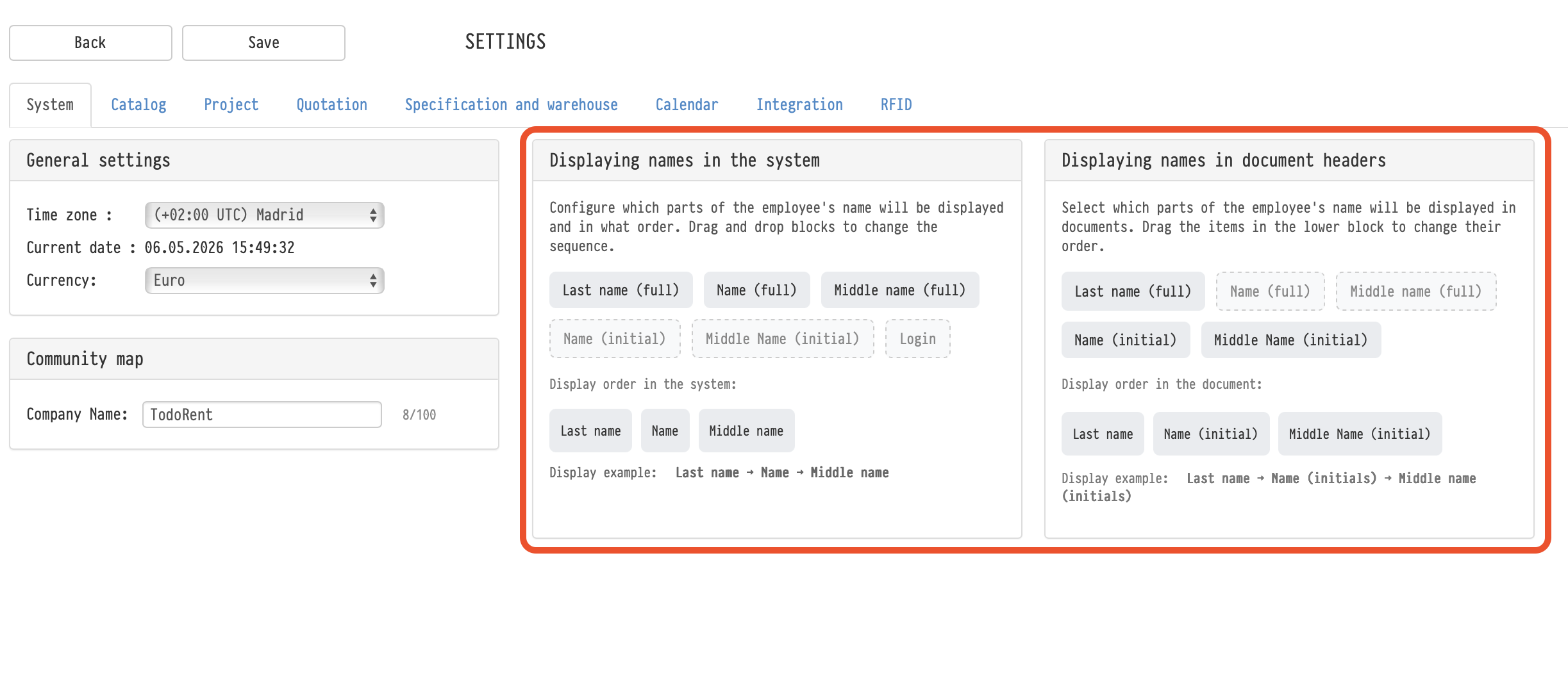
Displaying names in the system
This block controls how employee names are displayed throughout the system interface.
The setting affects:
- projects
- tables
- warehouse
- comments
- messenger
- employee cards
- and other interface elements where user names are displayed
Available elements
The following name elements are available:
- Last name (full)
- Name (full)
- Middle name (full)
- Name (initial)
- Middle Name (initial)
- Login
Configuring display order
Elements can be:
- enabled or disabled
- reordered using drag-and-drop
The lower block displays the final display sequence.
Examples:
- Smith John
- Smith J.
- Smith John P.
- smith_admin
Restrictions
At least one name element must remain enabled.
For example, you can display:
- only the last name
- only the login
- or any other combination
Applying changes
After clicking Save:
- the settings are applied immediately for all users in the account
- re-login is not required
Displaying names in document headers
This block controls how names are displayed in system-generated documents.
The setting applies to documents generated by the system, including:
- quotations
- statements
- passes
- and other documents from the Print tab inside projects
Important:
- this setting does not affect custom user document templates
How it works
The same configuration options are available:
- selecting which parts of the name to display
- enabling/disabling elements
- changing their order
This allows you, for example:
- to use full names in documents
- while keeping shortened names inside the interface
Key concepts
Name, Employees, Global settings, System, Documents, Print, Interface, Login, Full name, Settings