
The «Timer» tool allows employees to independently record their working hours, track shift durations, and receive automatic reminders when they end. All work history is saved for further analysis and payroll calculation.
Where to find it
To manage time, click the stopwatch icon in the upper right corner of the screen (in the Main menu).
Starting the timer
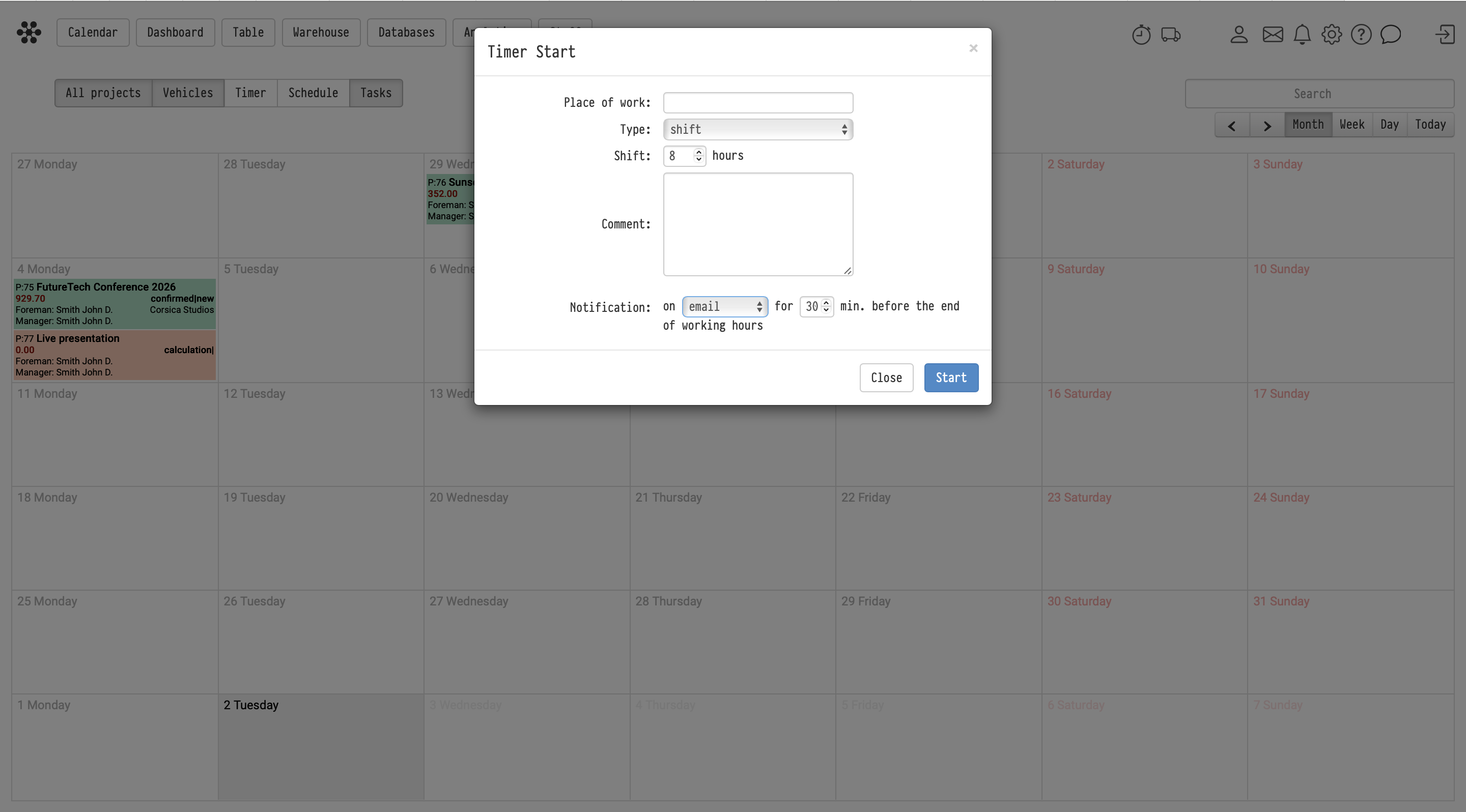
Clicking the icon opens the «Start timer» window. To start time tracking, you need to fill in the following parameters:
-
Workplace: specify the location, warehouse, office, or venue.
-
Type: select the time tracking format from the drop-down list (for example, «shift»).
-
Shift: specify the planned duration of your work in hours.
-
Comment: if necessary, leave an explanatory note about the current task.
-
Notification: set up an automatic reminder about the end of work. You can select the communication channel (for example, "without notification") and specify how many minutes before the end of the shift the system should warn you.
After filling in all the data, click the blue Start button.
Where the data is saved
After stopping the timer, the results are automatically transferred to a summary register. To view the history of hours worked:
-
Go to the Table section in the Main menu.
-
Select the Timer tab.
This section generates a list of all recorded shifts. The table displays the following data:
-
User: full name of the employee.
-
Shift start and end: exact date and time.
-
Start IP / Finish IP: IP addresses of the devices from which the employee started and stopped the timer (allows you to monitor the person's actual presence at the working location).
-
Time: total duration of work.
-
Amount: financial result (if a rate is set for the employee).
-
Comment: text left when starting the timer, as well as internal notes.
With the appropriate access rights, you can manually edit records in this table (pencil icon) or add missed shifts (plus icon).

Key concepts
timer, working hours tracking, work shift, stopwatch, timer table, worked time, staff control, start ip address, time tracking