
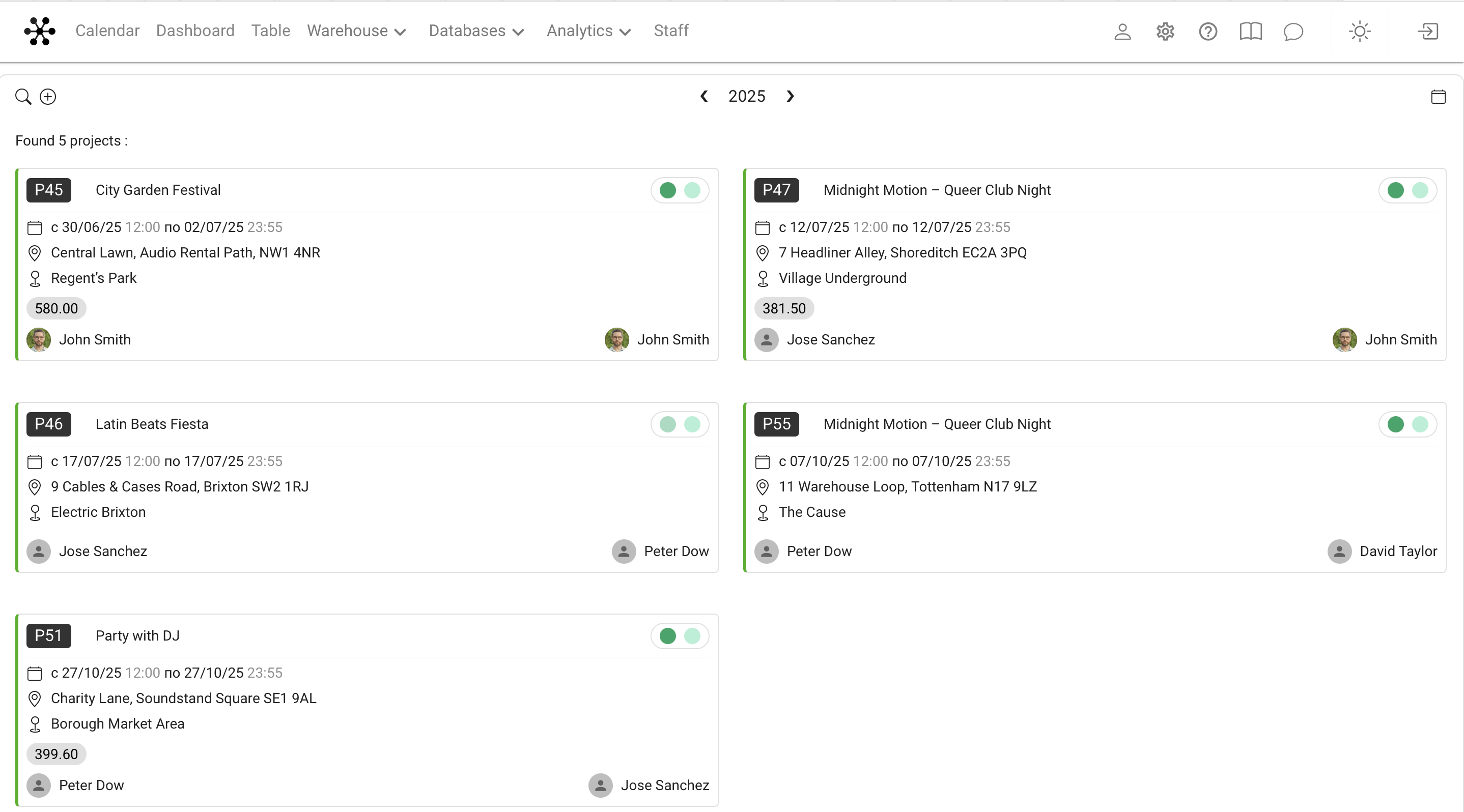
The Warehouse menu displays a list of projects presented in the form of cards. This page is intended for warehouse employees and shows only those projects for which the warehouse has already been activated.
Which projects are displayed
The list shows the projects for which the warehouse is activated in the system.
Warehouse activation depends on the project status settings in Global Settings → Projects.
By default (with standard system settings):
- The warehouse is activated with the "Agreed" status in the specification.
- The specification itself becomes available after the "Confirmed" status. in the estimate
Thus, in the standard configuration, this list shows projects that have already passed the approval stage and are ready for warehouse operations.
At the same time, the user can change these settings, and then the list of projects in the Warehouse menu will be formed in accordance with the specified logic of warehouse activation.
What is displayed on the project card
Each project is represented by a separate card, which displays:
- project number and name
- dates of the event
- site and address (if the address is specified in the site card)
- project statuses in the form of colored indicators
- responsible (the first two assigned employees are displayed)
The colored status indicators correspond to the settings set in the section Global Settings → Calendar.
Moving to the project warehouse
When you click on the card, you immediately go to the sectionThe warehouse of the selected project, where you can perform shipment, acceptance, and other warehouse operations.
Purpose of the page
This interface is intended for use in a warehouse (for example, on a tablet or work computer), so that employees work only with relevant projects for which warehouse operations can already be performed.
Key concepts
Warehouse, Project, Project card, Project Statuses, Estimate, Specification, Responsible persons, Site, Address, Reservation