
The «Equipment control» report helps you quickly check the availability of equipment for specific dates. It allows you to see how many items are currently in use, which exact projects they are assigned to, and evaluate the overall warehouse load.
Where to find it
Go to the top menu of the system, select «Analytics», and open the «Equipment control» section.
Report generation
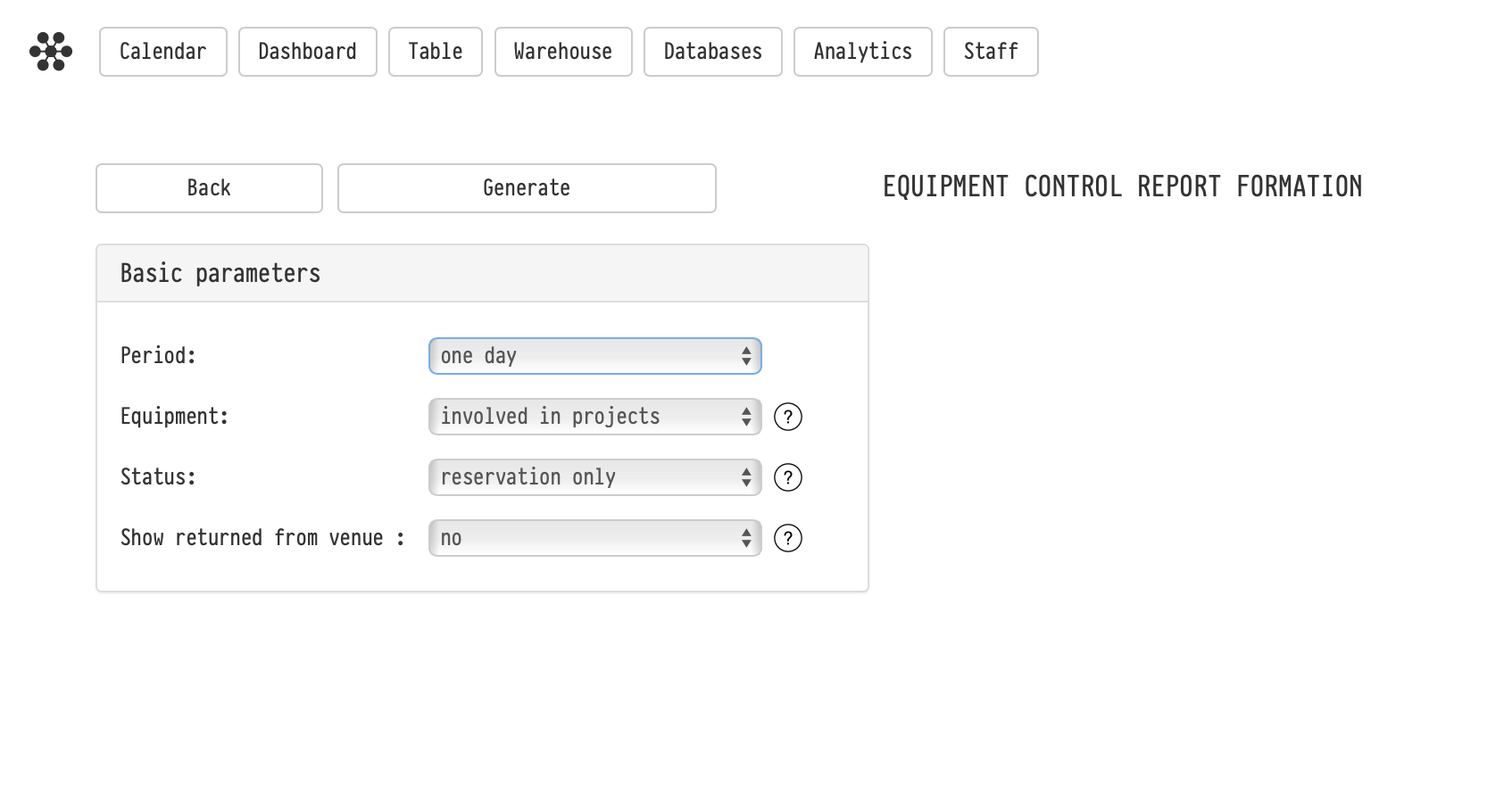
Before the system generates the table, you need to set the filtering conditions in the «Basic parameters» block:
— Period: choose a standard timeframe (e.g., one week, one month) or set custom dates. Inside the generated report, you can easily scroll through periods using the forward/backward arrows. — Equipment: * involved in projects — the table will only show equipment actually used within the selected period.
-
selectively — allows you to manually pick specific folders or catalog entries to check only them. — Status:* reservation only — the system will only show equipment engaged in projects where hard reservation is enabled.
-
all projects — the report will include all projects, even those still "in progress" without actual reservation.— Show returned from venue: if you enable this option (set to "yes"), the report will include equipment that has already been returned to the warehouse from the "Shipped" status before the project's official end date.
How it works
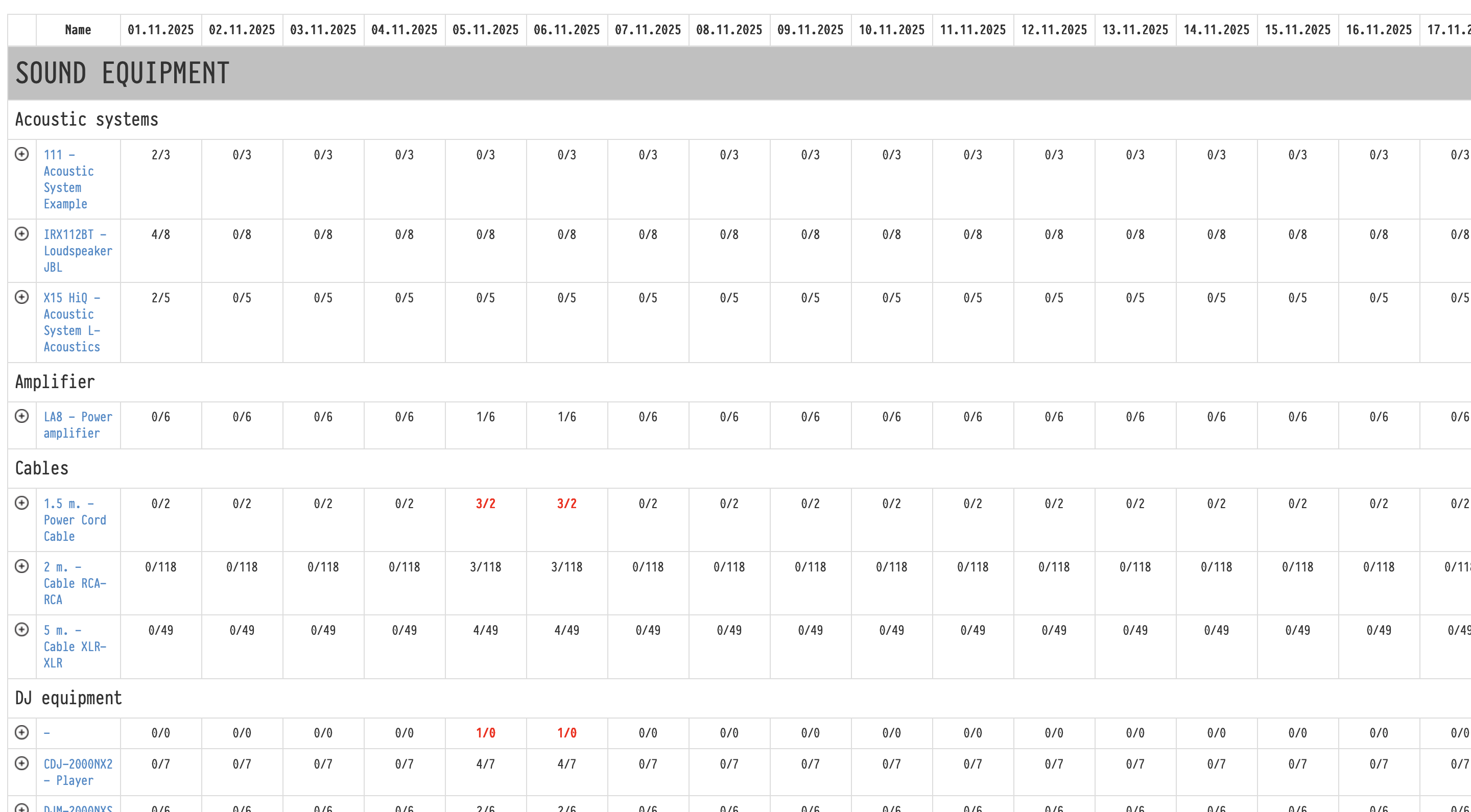
The report is generated as a table where columns represent dates and rows represent catalog entries.
In the cells where they intersect, numbers are displayed as fractions (for example, 2/5).
— The first number (2) indicates the quantity of items engaged in projects on that specific date.
— The second number (5) shows the total quantity of these items available in your warehouse.
(If you see red fractions like 3/2, it means there is a deficit/overbooking for that item on that day).
Details and navigation
The table is interactive and allows you to drill down into details right on the spot:
— Project breakdown: Click the «plus» icon to the left of the equipment name. The row will expand to show a list of all projects using this item on the selected dates, specifying the quantity for each project. The project names are clickable and will open in a new tab. — Item calendar: Click directly on the equipment name to open its individual availability calendar in a new tab.
Key concepts
equipment control, analytics, equipment availability, reservation, equipment schedule, stock check, involved in projects